Your gameplay might be flawless, but if your camera makes you look like a blurry potato, viewers will click away fast. The right camera is the difference between a stream that feels professional and one that feels like a low-budget afterthought. That’s why solid game camera reviews matter so much when you’re building a channel.
This guide breaks down everything you need to know before buying a camera for streaming or YouTube. We’ll cover what specs actually matter, compare popular options across budgets, and share practical setup tips. Whether you’re recording Roblox playthroughs or going live with competitive shooters, you’ll walk away knowing exactly what to look for.
Why Your Camera Matters More Than You Think
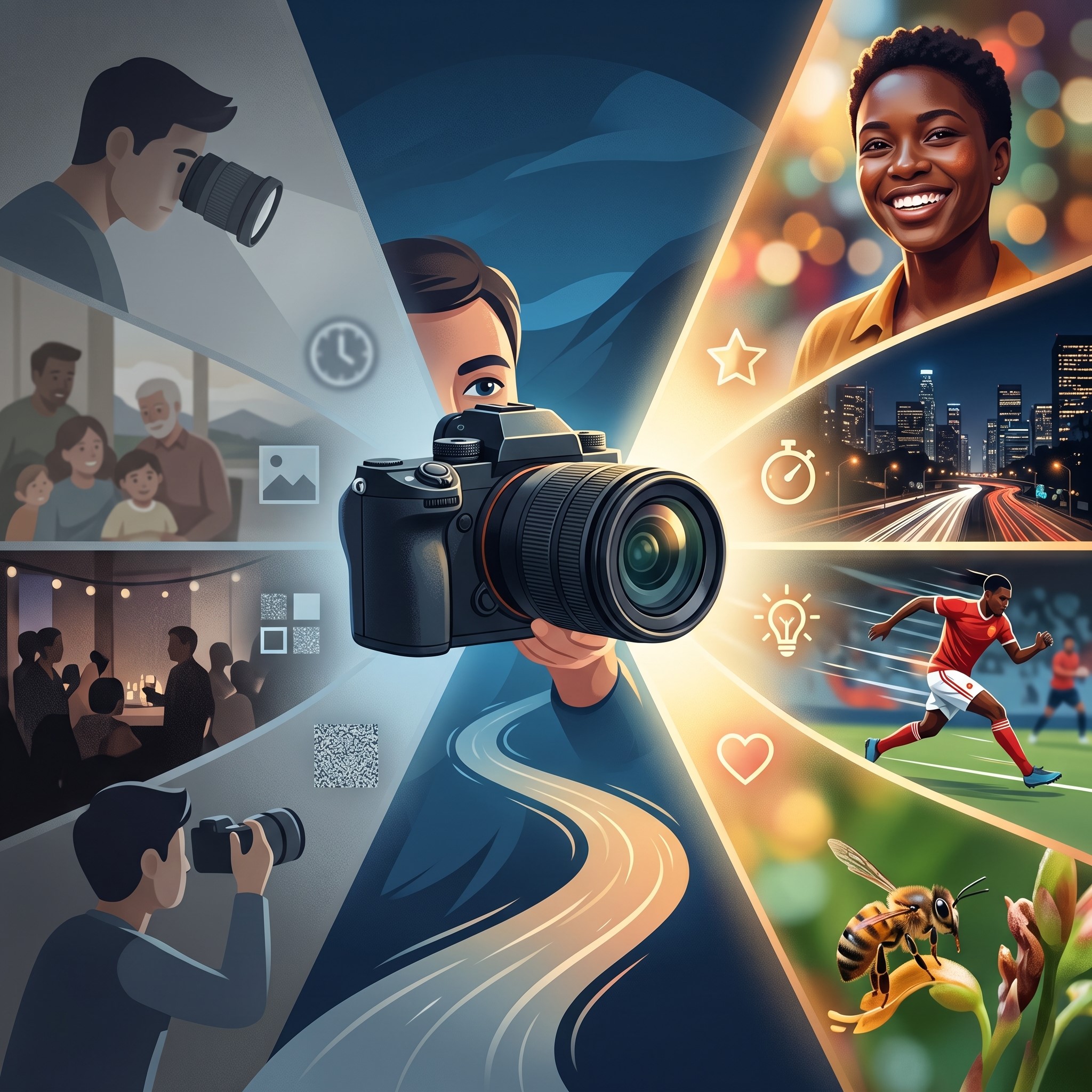 Audiences connect with faces. When you can react, laugh, and emote on screen, viewers stick around longer—and they come back. A facecam builds that personal bond that voice-over alone can’t match.
Think about the streamers you watch most. Chances are, you can picture their expressions during a clutch moment or a hilarious fail. That connection drives loyalty, and loyalty drives subscriber counts.
A grainy or laggy camera, on the other hand, sends the opposite message. It tells viewers you’re not serious about your content. In a crowded review games zone where thousands of creators compete for attention, polish gives you an edge.
What to Look for in a Game Camera
Not all cameras are built for streaming. Before you spend a cent, get familiar with the specs that actually affect your stream quality.
Resolution and Frame Rate
Resolution determines how sharp your image looks. For most streamers, 1080p is the sweet spot—crisp enough to look professional without overwhelming your upload bandwidth. If you want future-proof quality, 4K cameras are worth considering, but they demand more from your computer and internet connection.
Frame rate matters just as much. A camera that shoots 60 frames per second (fps) produces smooth, fluid motion. This is especially noticeable when you move around or gesture. Aim for at least 30fps, but 60fps gives your facecam that polished, lifelike feel.
Low-Light Performance
Most gamers don’t stream in a brightly lit studio. You’re probably in a bedroom or office with mixed lighting. A camera with strong low-light performance will keep you looking clear even when your setup isn’t perfect.
Look for cameras with larger sensors and wider apertures. These let in more light and reduce the grainy “noise” that ruins dim footage.
Autofocus and Field of View
Reliable autofocus keeps you sharp even when you lean in or shift positions. Cheaper cameras often hunt for focus, creating a distracting blur. Pay attention to reviews that mention focus speed and accuracy.
Field of view (FOV) controls how much of your space the camera captures. A narrow FOV keeps the focus on your face. A wide FOV shows more of your background, which works well if you’ve invested in a cool setup.
Connectivity and Compatibility
Most webcams connect via USB and work right out of the box. DSLRs and mirrorless cameras usually need a capture card to feed into your computer. Before buying, double-check that the camera plays nicely with your streaming software, whether that’s OBS, Streamlabs, or something else.
Types of Cameras for Streaming
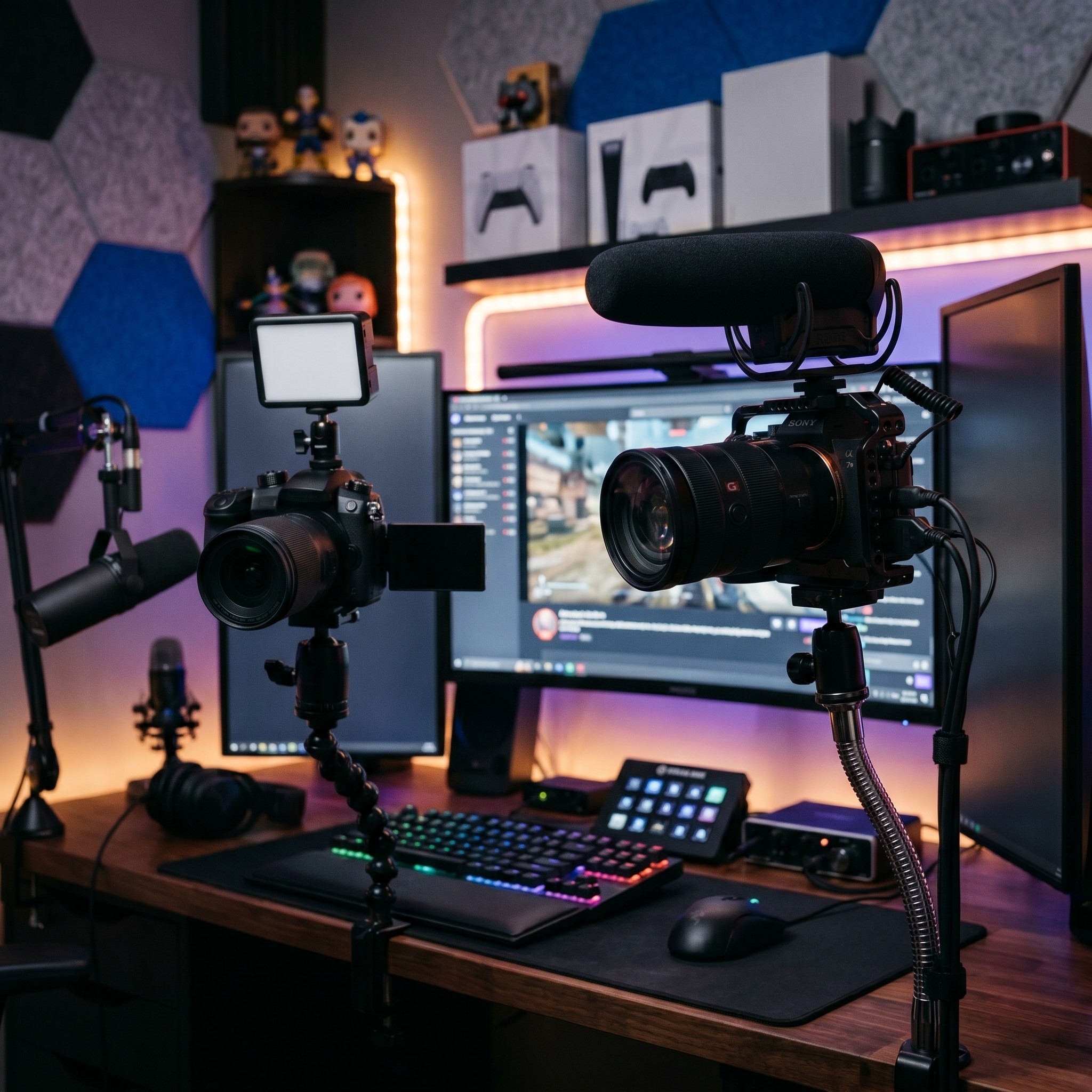 There are three main camera categories streamers choose from. Each fits a different budget and skill level.
Webcams
Webcams are the go-to choice for beginners. They’re affordable, plug-and-play, and built specifically for video calls and streaming. The best models deliver sharp 1080p or even 4K footage without any extra gear.
If you’re just starting out and want something that works instantly, a quality webcam is your best bet.
Mirrorless Cameras
Mirrorless cameras step things up significantly. They produce that soft, blurred background look (called bokeh) that makes you stand out from your surroundings. The image quality blows most webcams out of the water.
The trade-off? You’ll need a capture card, extra cables, and a bit more technical know-how. These cameras suit creators ready to invest in a serious upgrade.
DSLR Cameras
DSLRs offer pro-level image quality and tons of lens options. Many established YouTubers use them for that cinematic look. Like mirrorless models, they require a capture card and more setup.
DSLRs tend to be bulkier and pricier. They’re best for creators who also shoot polished, edited videos alongside their live streams.
Game Camera Reviews by Budget
Now let’s get practical. Here’s how to think about cameras across three price tiers, so you can match your purchase to your goals.
Budget-Friendly Options (Under $100)
If you’re testing the waters, start here. Entry-level webcams in this range typically offer 1080p at 30fps, which is plenty for getting started.
These cameras won’t wow anyone, but they’ll deliver clean, watchable footage. They’re perfect for creators reviewing games online or recording casual Roblox game review content for a growing channel. Look for models with decent low-light handling, since budget cameras often struggle in dim rooms.
Mid-Range Options ($100 to $300)
This is the sweet spot for most serious streamers. In this range, you’ll find premium webcams with 1080p at 60fps or even 4K capability. Autofocus gets noticeably better, and low-light performance improves.
Some entry-level mirrorless cameras also fall into this bracket if you buy used. For creators who’ve outgrown basic gear and want a clear quality jump, mid-range options deliver the best value.
Premium Options ($300 and Up)
At this level, you’re looking at high-end mirrorless and DSLR cameras. The image quality is stunning, with beautiful depth of field and excellent color accuracy.
These cameras make sense if streaming is your career or you’re producing high-production YouTube videos. Just remember to budget for accessories like lenses, capture cards, and lighting. The camera is only one piece of the puzzle.
How to Set Up Your Game Camera for the Best Results
Buying a great camera is only half the battle. Setup makes or breaks your final image. Here’s how to get the most out of whatever camera you choose.
Get Your Lighting Right
Good lighting matters more than an expensive camera. Even a cheap webcam looks great with proper lighting, while a premium camera can look bad in the dark.
Position a soft light source in front of you, slightly above eye level. A ring light or a simple desk lamp with diffused light works wonders. Avoid harsh overhead lighting that casts shadows on your face.
Frame Yourself Well
Place your camera at eye level for the most flattering angle. Looking down at a camera rarely looks good. Use a tripod or mount to get the height right.
Leave a little space above your head in the frame, and make sure your face is the focal point. Don’t crop yourself too tightly or sit too far back.
Fine-Tune Your Settings
Take time to adjust your camera’s settings in your streaming software. Tweak the brightness, contrast, and white balance until your skin tone looks natural. Many cameras come with companion apps that give you even more control.
Test your setup by recording a short clip before going live. What looks fine to your eye might appear too dark or washed out on screen.
Common Mistakes Streamers Make
Even with good gear, small errors can hurt your stream quality. Avoid these traps.
- Ignoring audio: Viewers tolerate average video far more than bad audio. Pair your camera with a decent mic.
- Overlooking the background: A messy room distracts viewers. Tidy up or use a clean backdrop.
- Skipping the test run: Always check your footage before streaming. A quick test catches problems early.
- Maxing out resolution unnecessarily: Streaming in 4K when your internet can’t handle it causes lag. Match your settings to your bandwidth.
Camera Placement and Background Setup
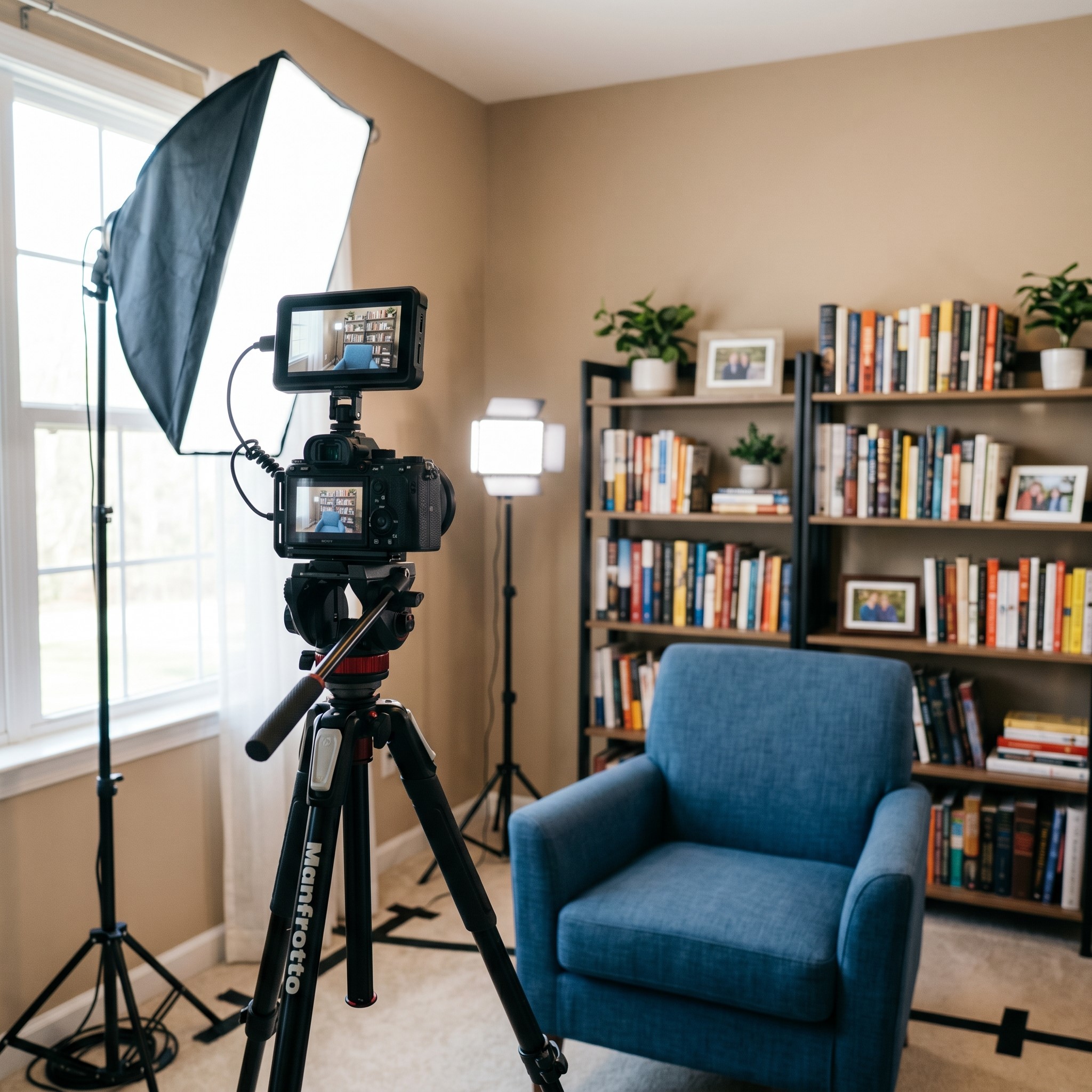 A camera’s position can have a major impact on how professional your content appears. Placing the camera at eye level creates a natural and engaging perspective, helping viewers feel more connected to you. Angles that are too high or too low can be distracting and unflattering. Your background also plays an important role in the overall presentation. A clean, organized space helps maintain focus on your content, while cluttered surroundings can pull attention away from your gameplay. Many successful creators enhance their backgrounds with subtle lighting, gaming decorations, or branded elements to create a memorable visual identity. Together, proper camera placement and a polished background can significantly improve the viewing experience.
The Role of Camera Quality in Building a Personal Brand
For streamers and content creators, a camera is more than just a recording device—it’s part of their personal brand. High-quality video helps establish credibility and professionalism, making viewers more likely to trust and engage with your content. Consistent visual quality also creates a recognizable viewing experience that audiences come to expect. While personality and content remain the most important factors, poor video quality can make it harder for new viewers to stay engaged. Investing in a camera that matches your content goals demonstrates commitment to your audience and can help strengthen your reputation as a creator over time.
Future Trends in Gaming Cameras and Streaming Technology
Gaming camera technology continues to evolve rapidly, offering creators new ways to improve production quality. Artificial intelligence is being integrated into cameras to enhance autofocus, background effects, and image optimization automatically. Higher-resolution sensors are becoming more affordable, making professional-quality video accessible to a wider audience. Streaming software is also introducing advanced features such as automatic framing and real-time visual enhancements. As technology advances, creators can expect easier setups, better image quality, and more tools for customization. Staying informed about these developments can help streamers make smarter purchasing decisions and keep their content competitive in an increasingly crowded digital landscape.
Frequently Asked Questions
1. What is the best type of camera for game streaming?
The best camera depends on your budget and goals. Webcams are ideal for beginners due to their affordability and simplicity, while mirrorless and DSLR cameras provide higher image quality for creators seeking a more professional appearance.
2. Do I need a 4K camera for streaming?
Not necessarily. Most streaming platforms and viewers are perfectly satisfied with 1080p video. A high-quality 1080p camera with good lighting often delivers better results than a poorly configured 4K setup, making it the preferred choice for many creators.
3. How important is frame rate in a game camera?
Frame rate significantly affects video smoothness. While 30fps is suitable for most content creators, 60fps provides a more fluid and natural appearance, especially when making frequent movements or streaming fast-paced gaming sessions.
4. Can a webcam be good enough for professional streaming?
Yes. Modern premium webcams offer excellent image quality, autofocus, and low-light performance. Many successful streamers use high-end webcams because they are easy to set up, reliable, and capable of producing professional-looking content.
5. What lighting setup works best for a gaming camera?
Soft lighting positioned in front of the creator usually produces the best results. Ring lights, LED panels, or diffused desk lamps help reduce shadows, improve image clarity, and make facial expressions more visible during streams.
6. Does camera quality affect audience engagement?
A clear and professional-looking camera can improve viewer perception and engagement. Audiences often connect more with creators when they can clearly see facial expressions, reactions, and emotions throughout the stream or video.
7. What is autofocus, and why does it matter?
Autofocus automatically keeps the subject sharp and in focus. Reliable autofocus is important because it prevents distracting blurriness when creators move, lean forward, or change positions while recording or streaming.
8. Do I need a capture card for streaming?
Most webcams do not require a capture card. However, many DSLR and mirrorless cameras need one to transmit video to streaming software, making capture cards an important part of advanced streaming setups.
9. How can I improve camera quality without buying a new camera?
Improving lighting, adjusting camera settings, cleaning the lens, upgrading your background, and positioning the camera at eye level can dramatically improve video quality without requiring a new camera purchase.
10. What should beginners prioritize when buying a game camera?
Beginners should focus on reliable 1080p resolution, decent low-light performance, easy setup, and compatibility with their streaming software. A quality webcam often provides the best balance between affordability, simplicity, and performance.
Choosing the Right Camera for Your Channel
The best camera depends on your goals, budget, and content style. A casual creator reviewing games online doesn’t need the same setup as a full-time streamer.
Start by asking yourself a few questions. How serious is your channel? What’s your budget, including accessories? How much technical setup are you comfortable with? Your honest answers will point you toward the right tier.